My Performance: Peers chart
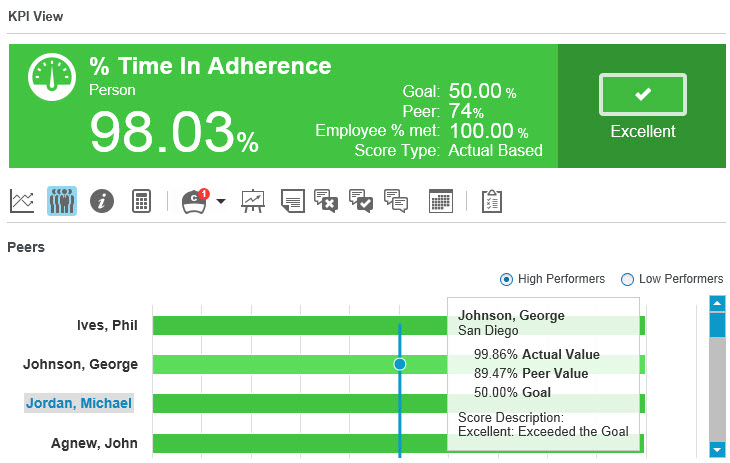
Use the Peers Chart  in KPI View on the Performance page displays peer performance data. The employees shown in the Peer Chart are the employees that match the definition of the peer group as defined for the KPI. Only Employees in organizations with the Enable Peer Drilldown privilege Permissions associated with each role that define the features of the application a user is able to view and the functionality in the application the user can access. appear in this chart.
|
Element |
Description |
|---|---|
|
Graph Lines and Bars |
Point to the graph line and a bar to view specific data, including Actual Value, Peer Value, Goal, and Score Description. |
|
High Performers / Low Performers |
Select High Performers to view the highest ranking Rating of a specific interaction in the search results in Speech Analytics, which is determined by the number of instances of the search term within the interaction, and the interaction’s individual score. employee or organization at the top of the list. Select Low Performers to view the lowest ranking employee or organization at the top of the list. |