Request Anything Pools page
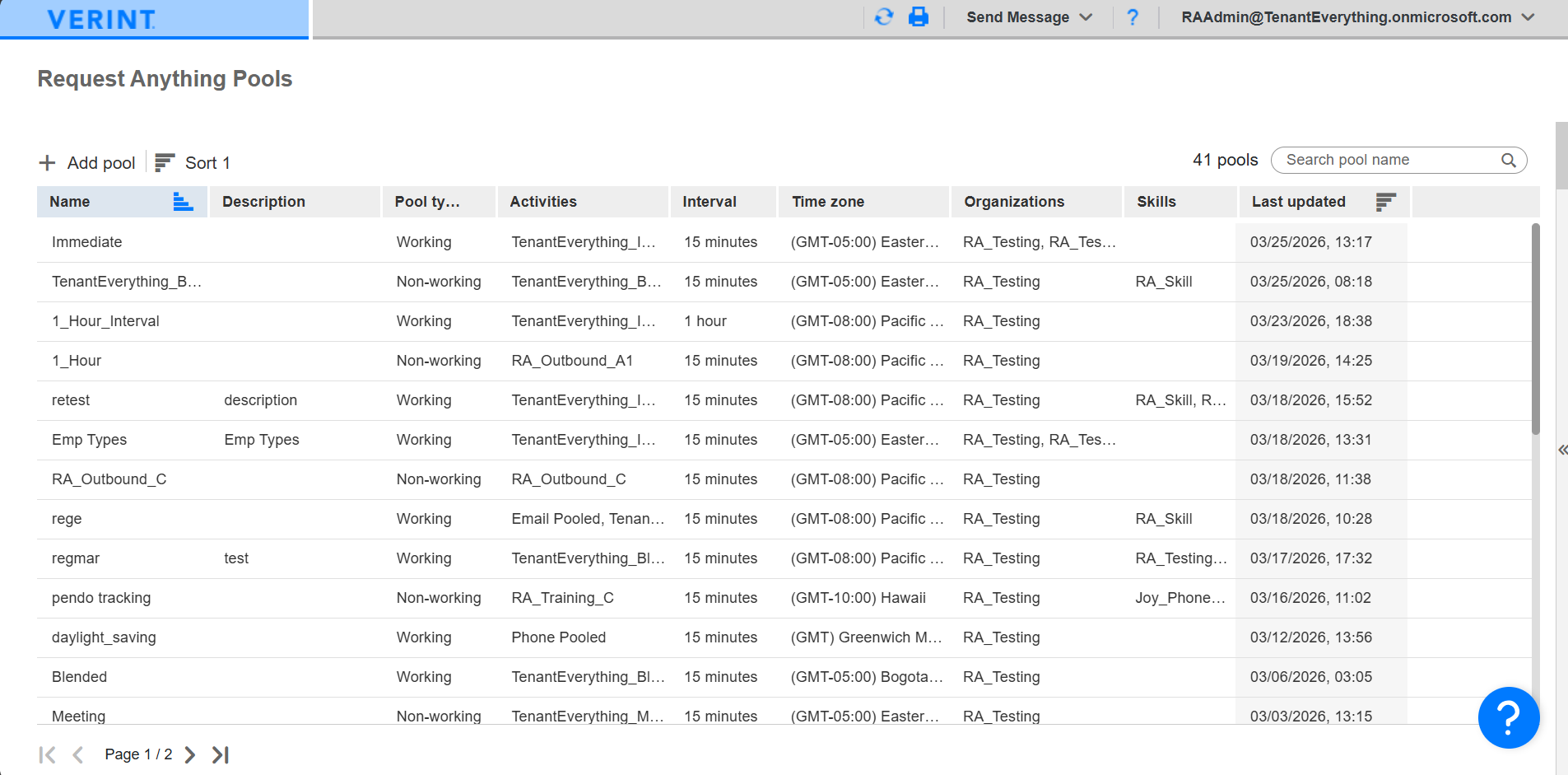
The Request Anything pools page lists all pools that you have permission to view. You can sort, search, and paginate the table columns. You can view this page if you have the View Pools privilege Permissions associated with each role that define the features of the application a user is able to view and the functionality in the application the user can access. enabled from User Management Module that an administrator uses to create a profile for each employee in their organization. > Roles Setup. It gives you access to the Pools and Pools allocations page.
When you click a pool, the details panel provides details about pool configuration and history (about pool creation and configuration change history.)
|
Column |
Description |
|---|---|
|
Name |
Name of the pool. |
|
Description |
Pool description. |
|
Pool type |
If the pool is working or non-working. |
|
Activities |
Activities connected to the pool. |
|
Interval |
Pool interval (15 minutes, 30 minutes, or 1 hour). |
|
Timezone |
Pool timezone. |
|
Organization |
Organizations connected to the pool. |
|
Skills |
Skills connected to the pool. |
|
Last Updated |
Last date and time the pool was updated. |