View single pool details
You can view the details of a pool including the associated requests, associated employees, scheduled events, and pool details from the pools details panel ( ). The details panel is shown when you click the View details button.
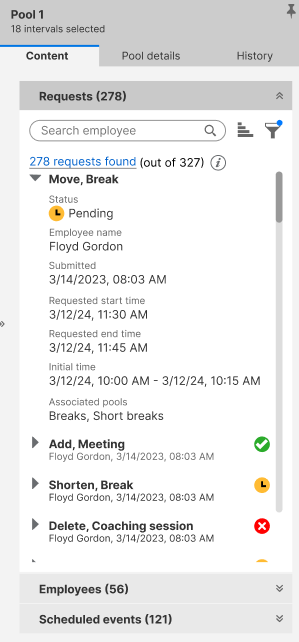
The Details panel has the following tabs that are briefly described as follows:
-
Content
-
Requests - Shows all requests associated with the pool for the selected intervals. A request is shown if it fully or partially overlaps the selected intervals.
-
Employees - Shows all the employees associated to the pool for the selected intervals.
-
Scheduled events - Displays all events scheduled in the calendar (through Request Anything or Calendar) as long as it deducts availability from the pool.
-
-
Pool details - Displays the pool configuration details.
-
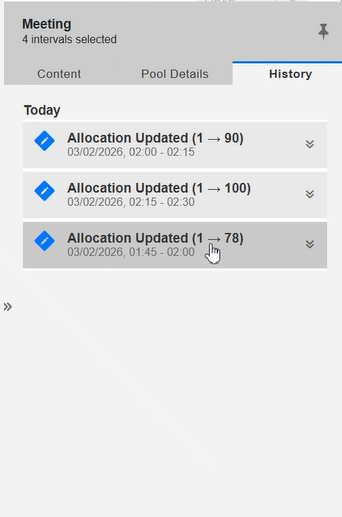
History - Lists the last five changes made to the selected intervals. If more than five changes were made to an interval, only the most recent five will be shown.
-