Add eLearning adapters
-
Go to System Management Module that allows performing suite-wide system management activities from a single, Web-based application, the Enterprise Manager.. Under Integration Server, select Integration Servers.
-
To edit the configuration server, do one of the following:
-
Double-click a server row.
-
Click on a server, and click Edit Configuration.
-
-
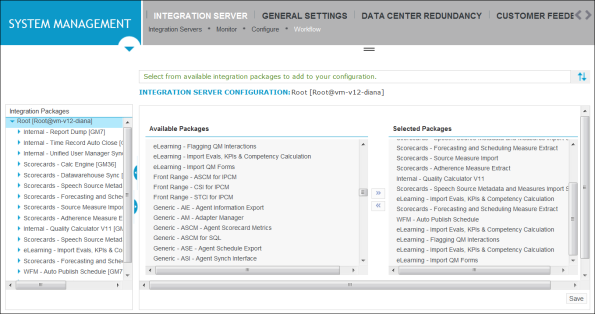
From the Integration Packages list, click the Integration Server [Root] entry, and then click the Workflow tab. The tab opens on the right panel.
-
Under Integration Server Configuration on the right panel, and from the Available Packages list box, select the adapters you want to add, and then click the double arrow >> beside the box. The adapter is now shown in the Selected Packages list box.
-
Click Save.
Each newly added adapter appears under Integration Packages on the left panel.