Create a JWT token in the Provisioning Settings of the WFO Feature Settings
The JWT token is required for authentication when the Azure Active Directory One of the main user authentication methods supported in the system, allowing customers to leverage Windows Authentication as the authentication mechanism in the system. (AAD) provisioning process connects to the WFO application using the SCIM protocol.
When specifying an expiration date for a token, make the token valid for 15 years.
Procedure
-
In the Provisioning Settings tab of the WFO Feature Settings, click on the Add icon
 in the top right of the JWT Token section to create a new JWT Token.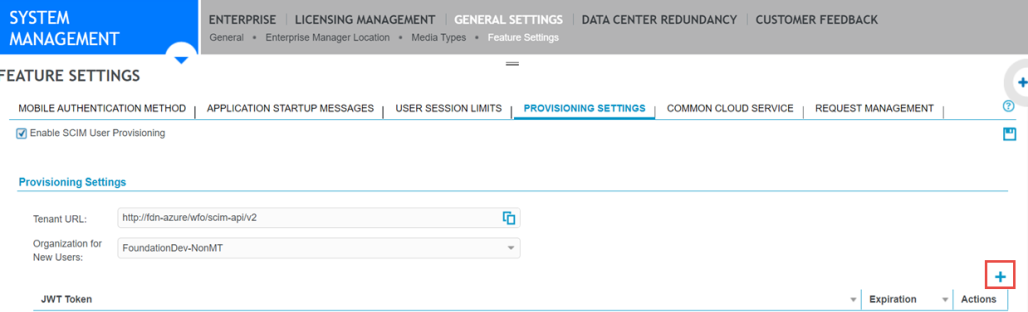
-
In the Token Expiration Date calendar, specify an expiration date for the token that is 15 years in the future and click OK. The token appears in the user interface.

What to do next
Set up an Enterprise Application in the Azure Active Directory
Communicate the Tenant URL and the JWT Token to the Cloud Services Administrator