Specify the Provisioning Mode in the Azure Active Directory
Set the Provisioning Mode to Automatic in the Azure Active Directory One of the main user authentication methods supported in the system, allowing customers to leverage Windows Authentication as the authentication mechanism in the system. (AAD).
When the Provisioning Mode is set to Automatic, an initial provisioning cycle runs to provision the AAD users into WFO. After the initial cycle, the provisioning service automatically synchronizes user objects from AAD to WFO on a forty-minute interval.
Procedure
-
With the Enterprise Application you have just created open, select Provisioning in the on the left side panel.
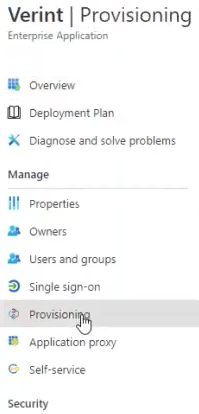
-
Click Get Started.
-
For the Provisioning Mode, select Automatic.
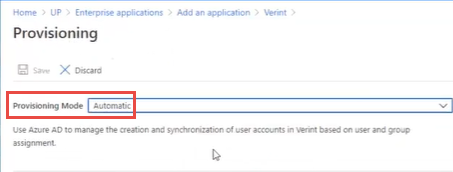
-
Leave the Provisioning screen open in a browser tab. The new Admin Credentials settings appear on the Provisioning screen.
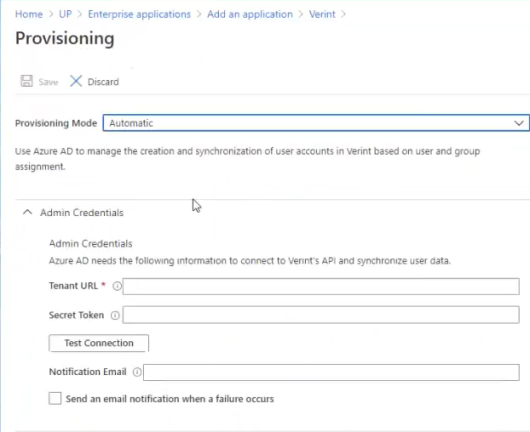
What to do next
Make the Tenant URL value known to the AAD provisioning process
Specify the Tenant URL and JWT Token in the Provisioning Settings