View details of a request (WCAG)
View a summary of a request, any alerts associated with a request, and a history of changes related to a request.
Procedure
-
Go to My Home. Under My Requests, select My Requests.
-
Highlight the row of the request about which you want to view details.
-
From the Actions column, select the View Detail icon
 .
.
-
On the View Request Details form, view the following details:
-
Request Summary: Specific type of request, and information about the request.
-
Alerts: Any alerts related to the request.
-
History: History of changes made to the request.
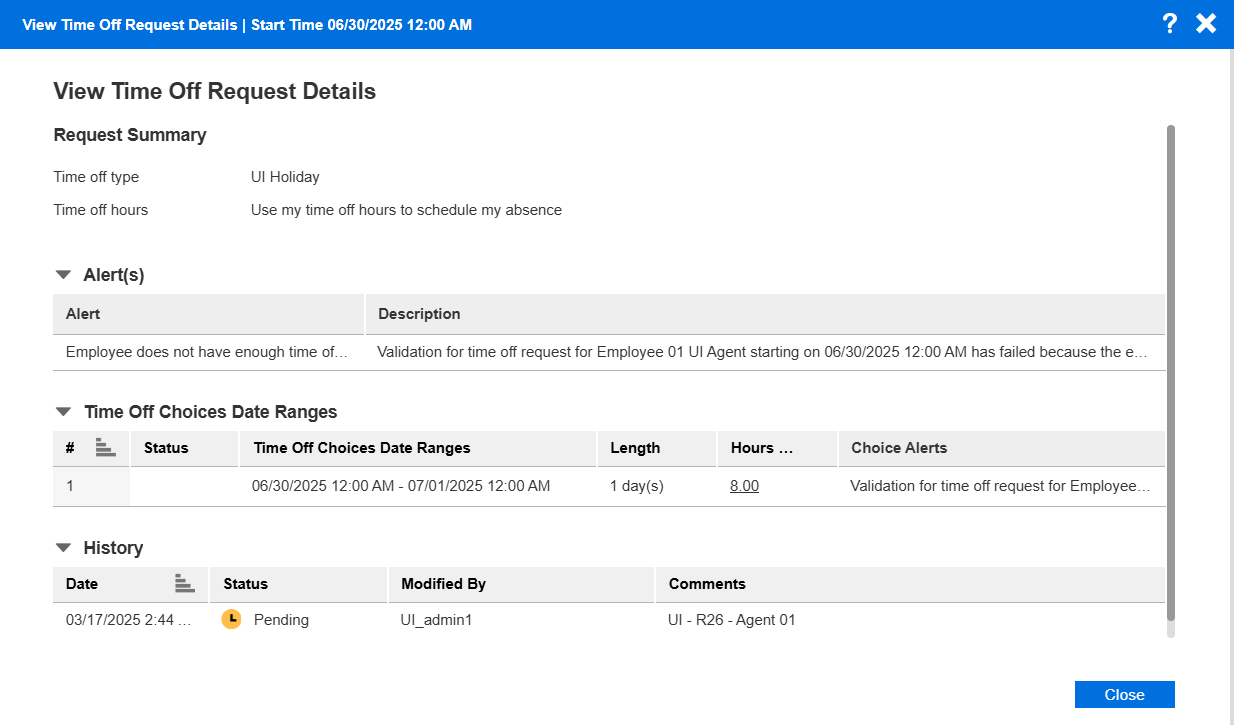
-
-
To return to the previous screen, select Close.